Appearance
Tutorial: Extra life
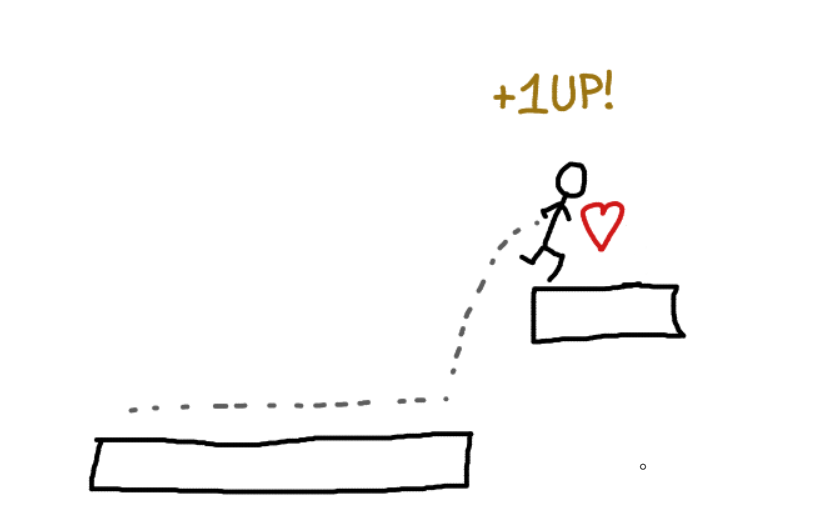
In this tutorial, we will create 8-bit "extra life" sound effect, similar to those found in classic platformer games.
First, please create new SFXAsset named "ExtraLife", as you did in Laser shoot tutorial.
Making a "melody"
To create pleasant "extra life" sound, we will create a simple melody using Arpeggio effect. Arpeggio effect changes the pitch of the sound in predefined intervals, creating a melody effect similar to playing notes on keyboard.
First of all, please open the Arpeggio section in the Inspector and enable it by checking the checkbox next to its name.
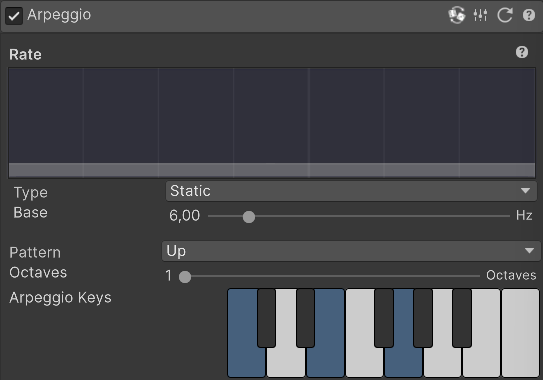
After enabling the effect, you will hear that sound changed into a simple melody, repeating three notes. By default, Arpeggio uses "Up" pattern, which plays notes in ascending order, but it is not what we want for this sound.
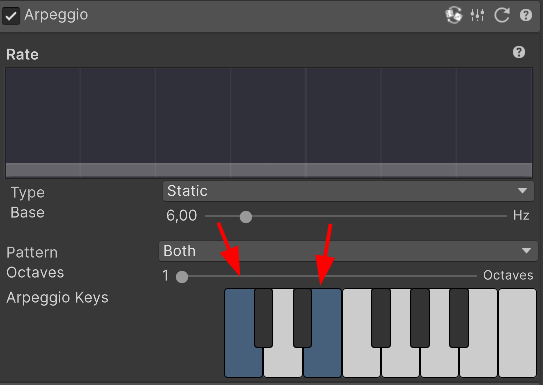
Please change the Pattern parameter to "Both". This pattern plays notes in ascending and then descending order, creating a nice "ping-pong" effect.
Below, you can see Arpeggio Keys section, which defines which notes are played in the arpeggio. Please select first and third larger (white) keys, as shown in the image below:
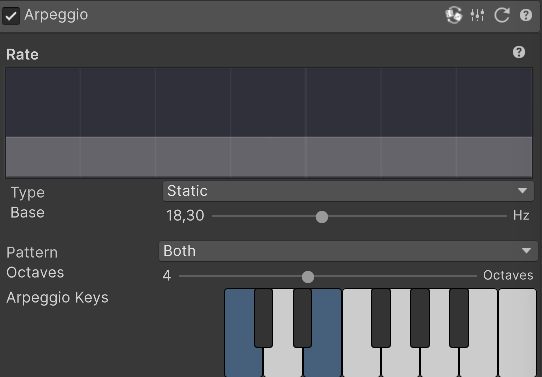
Now, we want to increase the Octaves parameter to 4. This will make the arpeggio to play 4 series of notes, each one octave higher than the previous one.
Finally, set the Rate parameter to 18.30, which makes the arpeggio to play notes very quickly, creating a lively effect.
Final settings should look like this:
Applying Harmonics
In order to make the sound richer and fuller, we will apply Harmonics effect. Harmonics effect adds additional frequencies to the sound, making it sound more complex and interesting.
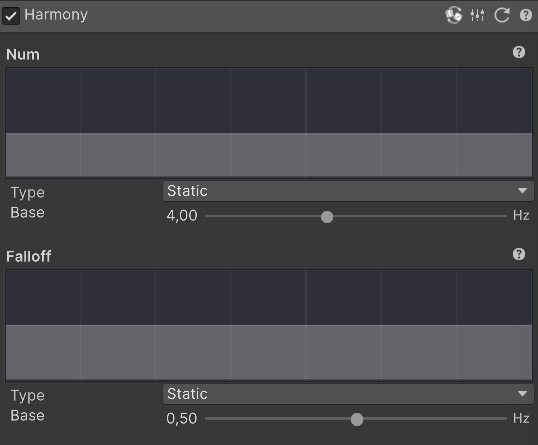
Please open the Harmonics section in the Inspector and enable it by checking the checkbox next to its name. Please set the Num parameter to 4. This will add 4 harmonic frequencies to the sound, making it sound fuller.
Tuning the envelope
Now, we will tune the envelope. We want to achieve two things:
- Make the sound start more gradually, instead of starting immediately at full volume
- Make the sound to fit properly for the arpeggio effect
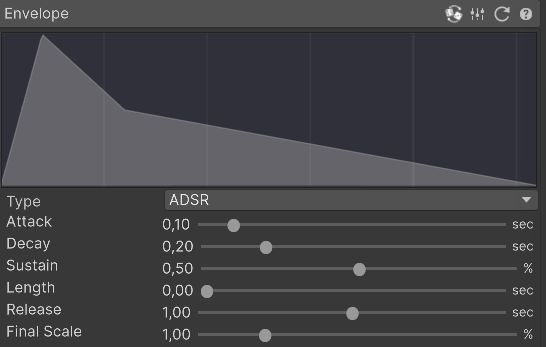
In order to achieve this, please set the following values in the Envelope section:
- Attack: 0.10 (this makes sound to start gradually in 0.1 seconds)
- Decay: 0.20 (this makes sound volume drop to half in 0.2 seconds)
- Sustain: 0.50 (this makes sound to go to half volume after decay)
- Length: 0.00 (we don't need this, we will immediately start fading out with release)
- Release: 1.00 (this makes sound to fade out slowly in 1 second)
It should look like this:
Removing bass tones
Finally, this sound is a bonus pickup sound. In order to make it more "light" and "airy", we will remove low and medium frequencies using Equalizer effect.
Please open the Equalizer section in the Inspector. Please note that Equalizer is always active and there is no need to enable it. Now, please set the Low Gain and Mid Gain parameters to 0.00. This will remove low and medium frequencies from the sound, making it sound lighter.

Thats it!
You have created a simple 8-bit extra life sound effect using SFXCreator!