Appearance
Sound theory
This section provides a brief overview of basic sound theory concepts. Reading this section is not mandatory and you can jump directly into creating sound effects using SFXCreator. However, understanding these concepts may help you create better sound effects, enhance your overall audio design skills or just satisfy your curiosity about how sound works.
WARNING
Warning: This is not a comprehensive guide to sound theory. This guide is intended for beginners and may contain simplifications and inaccurate explanations.
What is sound?
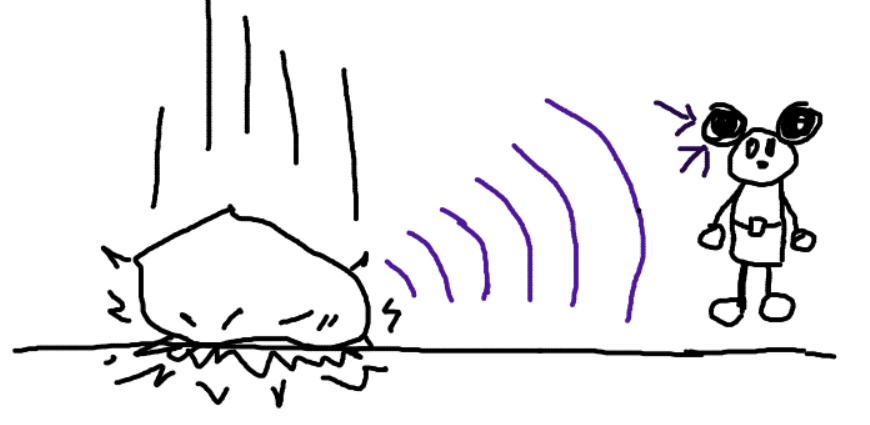
Sound is a vibration of air particles that propagates as an audible wave. When an object vibrates, it creates pressure waves in the surrounding air. These pressure waves travel through the air and reach our ears, where they are interpreted by our brain as sound.
Like in example below, falling rock creates vibrations in the air, which we perceive as sound.
Playing sounds
If your game needs to have falling rock sound, you don't need to throw real rocks next to your player's computer. Instead, computer speaker (or headphones) can vibrate the air particles in a way that simulates the sound of falling rocks.
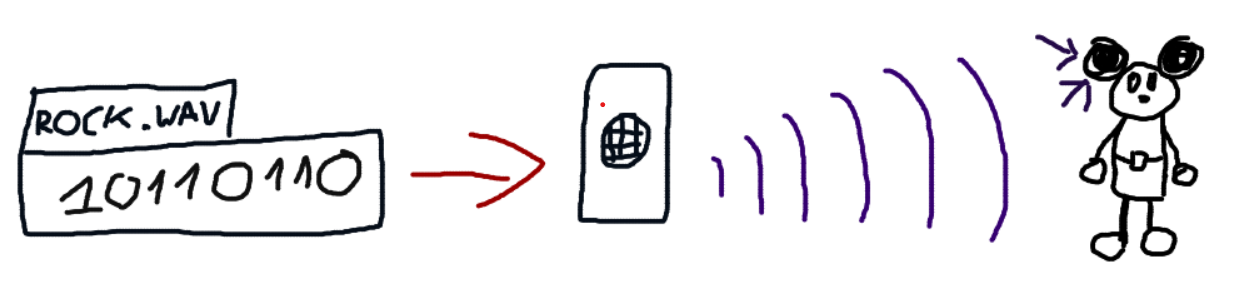
Audio file contains instructions for the speaker on how to vibrate the air particles to create the desired sound.
Digital sound
By nature, sound is an analog phenomenon. It is continuous, just like painting or drawing - you can have infinite number of colors and shades at infinite number of positions. But when you take a photo of painting, you convert it into digital form, as a series of pixels.
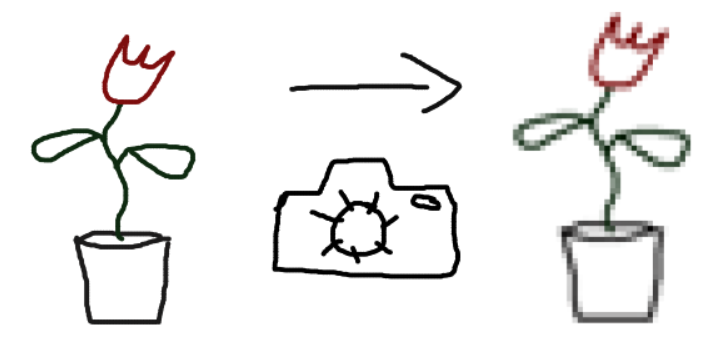
The audio files work in similar way. They convert continuous sound wave into a series of "audio pixels".
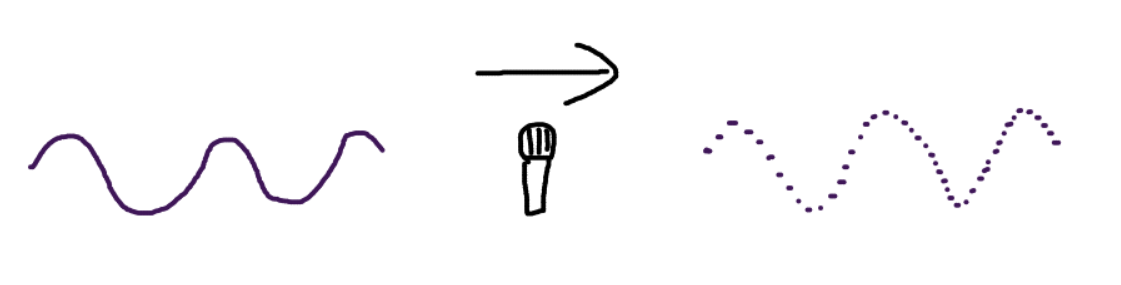
These "audio pixels" are called samples. Each sample represents pressure of air particles at specific point in time. Just like image has pixel resolution, audio files have sample rate. For example, audio with sample rate of 44100 Hz contains 44100 samples per second of audio.
Decreasing the sample rate reduces the audio quality, just like decreasing image resolution reduces image quality.
And just like image can have different color depth (number of colors per pixel), audio files can have different bit depth (number of possible values per sample). For example, audio with bit depth of 16 bits can represent 65536 different pressure values per sample.
Wave
Vibration of air particles can be represented as a wave. Depending on characteristics of the wave, we can perceive different sounds.
For example, here is the simplest type of wave is sine wave, that looks like this: 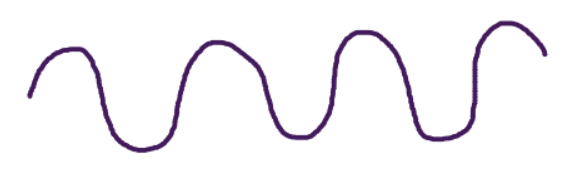
And here is how a sine wave sounds like:
Another example is square wave, that looks like this: 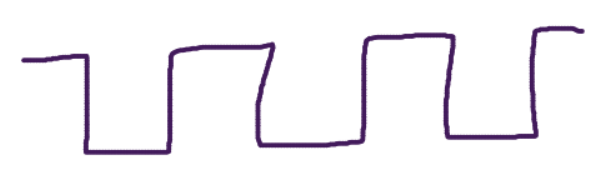
And here is how a square wave sounds like:
There are many other types of waves, each with its own unique shape and sound characteristics. By combining different wave types and modifying their properties, we can create a wide variety of sounds.
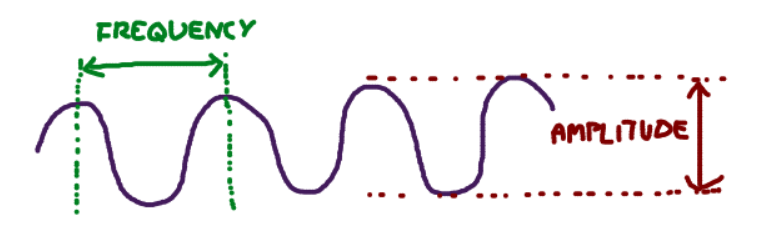
Two important properties of waves are frequency and amplitude.
Frequency
Frequency is the number of wave cycles that occur in one second, measured in Hertz (Hz). Frequency determines the pitch of the sound.
When you are in a car, you can hear the engine sound change pitch as the engine speed increases. This is because the engine produces bangs more often as engine RPM increases, which is perceived as higher pitch.
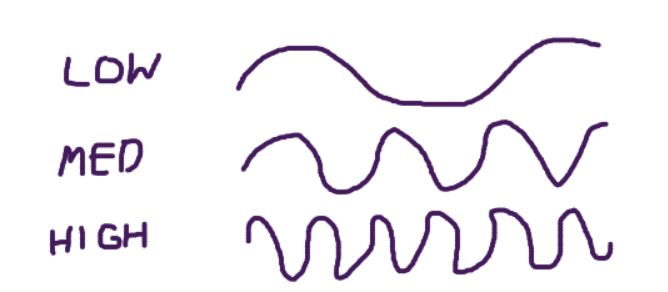
Here are four examples of the exact same wave with different frequencies:
INFO
In sound design, we use frequencies in range of 20 Hz to 20,000 Hz. Please note that it is logarithmic relationship - doubling the frequency increases the pitch by one octave. For example, 440 Hz is one octave higher than 220 Hz, and 880 Hz is one octave higher than 440 Hz.
SFXCreator internally uses frequency values of 0-1 logarithmically mapped to 20 Hz - 20,000 Hz range. This makes working with curves and modulation easier.
Amplitude
Amplitude is the height of the wave. It determines the loudness of the sound.
Dropping a tennis ball creates less loud sound than dropping a metal ball, because metal ball creates stronger waves (higher amplitude) in the air.
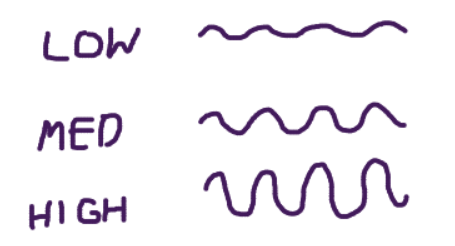
Here are examples of exact same wave with different amplitudes:
INFO
In sound design, amplitude is usually represented as a value between 0 and 1, where 0 is silence and 1 is maximum loudness. SFXCreator uses this range for amplitude values.
Envelopes
So far, the waves we've heard just turn on and play at a constant volume. Real-world sounds aren't like that. A drum hit is a sudden bang that fades away quickly. A coin-pickup sound is a quick "blip!".
This "shape" of a sound's property over time is called its envelope. We can apply an envelope to any property, but the most common one is the Amplitude Envelope (which controls volume).
The most common envelope is known as ADSR:
- Attack: How long it takes for the sound to reach full volume (e.g., a fast "punch" for a laser, or a slow "fade-in" for wind).
- Decay: How long it takes for the sound to drop from its peak attack level to the sustain level.
- Sustain: The constant volume of the sound while the note is held.
- Release: How long it takes for the sound to fade to silence after the note stops being held.
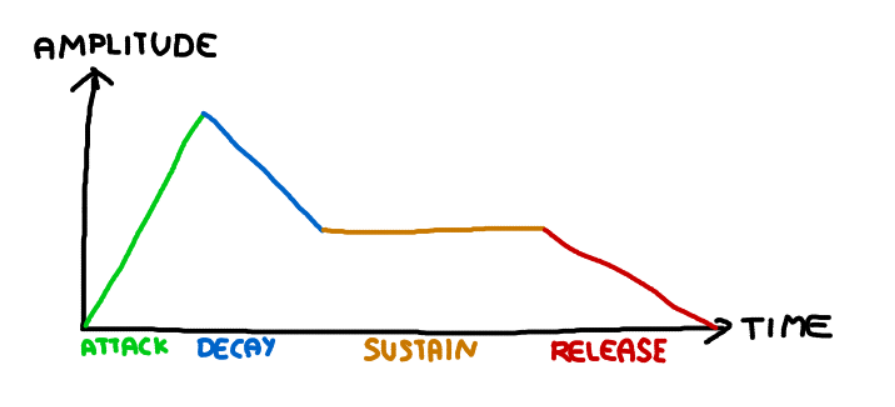
Envelopes are one of the most important tools in sound design.
- A fast Attack and fast Decay on a square wave gives you a "blip" sound.
- A fast Attack and medium Decay on a noise wave gives you a "hiss" or "explosion" sound.
- A slow Attack and slow Release on a sine wave gives you a "spooky" or "ambient" sound.
Applying effects
As you could hear in previous examples, simple waves sound quite boring. To create interesting sound effects, we need to modify these waves using various techniques and effects.
For example, here is the base sine wave:
Now, we add envelope - by "punching" amplitude at start and then fading it out:
Now, we modify frequency by decreasing it over time:
Then, we add a modulation effect called Vibrato, which changes the pitch up and down very quickly:
And with just that, we turned a boring "beep" sound into a 8-bit laser gun sound! In SFXCreator, this can be done with just a few clicks.
Noise waves
Apart from regular waveforms like sine or square waves, there are also noise waveforms. Noise waveforms are non-regular waveforms that resemble a random signal. They are often used to create sound effects like explosions, gunshots, or other percussive sounds.
Noise wave may look like this: 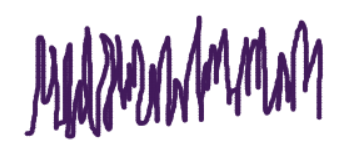
While noise is random, the types used in sound design (like white or pink noise) are controlled forms of randomness. Generating truly random values for every single sample can sound very harsh, have a lot of crackling and unpleasant artifacts. The noise generators in SFXCreator are designed to be musically useful for creating everything from wind to explosions.
Here is how a noise wave sounds like:
And just for completion, the exact noise wave with few effects applied:
Summary
While this guide provided only a brief overview of sound theory, it should give you a basic understanding of how sound works and how different properties of sound can be manipulated to create interesting sound effects. With SFXCreator, you can experiment with these concepts and create your own retro-styled sound effects with ease.