Appearance
Presets
Presets are predefined "recipes" for creating specific types of sound effects. The provide a quick way to generate sounds that fit common categories, such as explosion, fire, hit, jump, etc.
Presets do not contain fixed sound data, but rather a set of steps and parameters that SFXCreator uses to generate a random sound effect that fits the preset category. This allows for variety and uniqueness in the generated sounds, while still adhering to the general characteristics of the preset.
Using Presets
In SFXTrack inspector, you can find Use Preset dropdown at the top. By selecting a preset from the list, SFXCreator will automatically generate a random sound effect based on the selected preset.
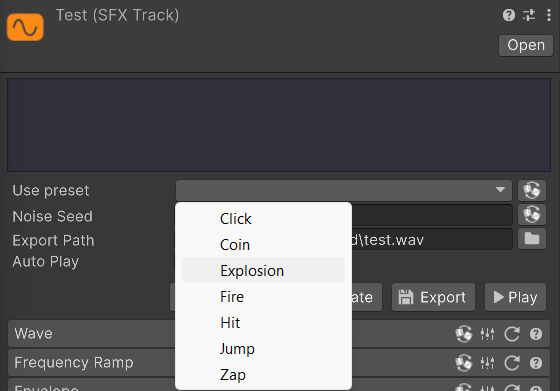
When you select a preset, SFXCreator will replace your current sound with a new sound generated from preset.
You can always "reroll" the sound by using Randomize button next to Use Preset dropdown. This will generate a new random sound based on the same preset.
Creating Presets
You can create your own presets as well! In order to create a new preset, right-click in Project window and select Create > SFXCreator > SFXTrackPreset. This will create new SFXTrackPreset asset in your project.
After creating the asset, it will automatically appear in the Use Preset dropdown in SFXTrack inspector.
Inspector window
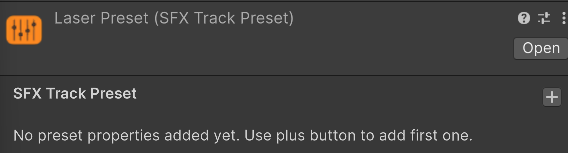
When you select SFXTrackPreset asset, you will see an empty "recipe" in Inspector window.
Adding steps
You can add steps to the preset by clicking Plus button in the top-right corner of the inspector. This will open a dropdown list of available steps that you can add to the preset.
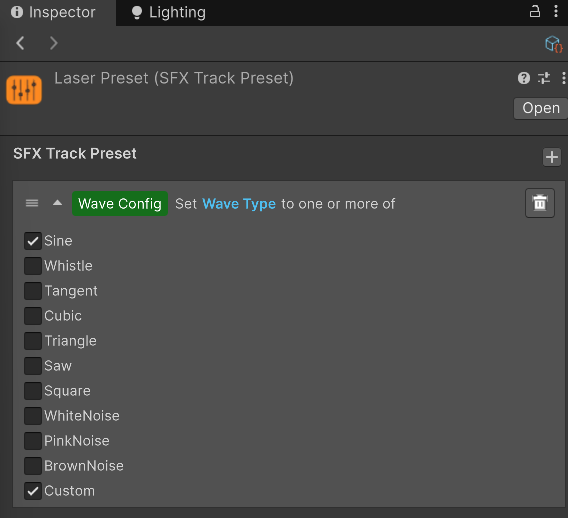
Adding a step will create a new section in the inspector where you can configure the parameters of the step. For example, if you add Waveform step, you will see what possible waveforms will be used when generating sound from this preset.
Removing steps
You can remove a step from preset by using Remove button in the top-right corner of each step section.
Setting the data
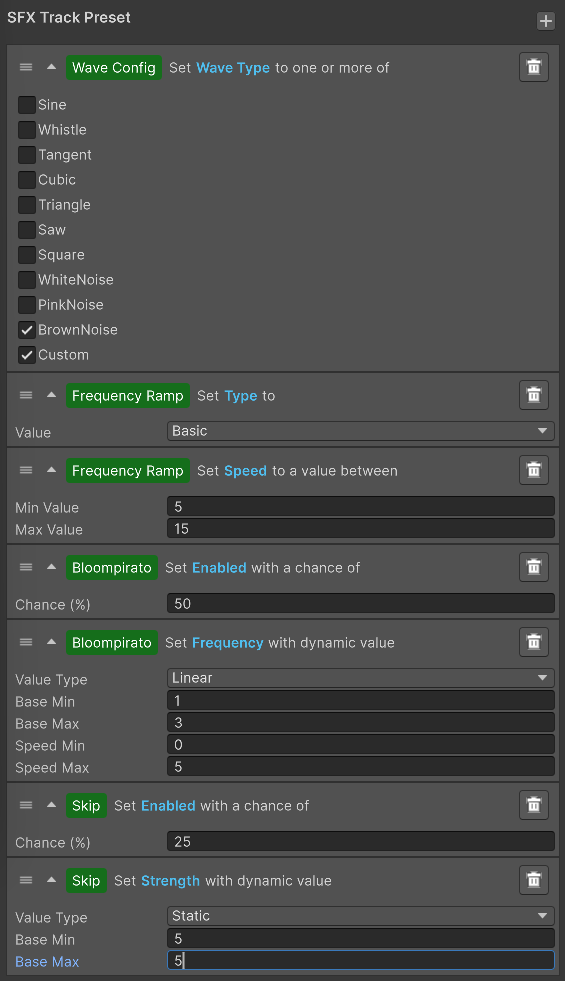
With preset, you simply apply various steps to define how SFXCreator should generate sound effect when using this preset. The editor for that allows you to directly define various parameters, with either a % chance of appearing or range of values. When using preset, SFXCreator will reset the sound to default values and then apply all steps defined in the preset, one by one.
INFO
Preset editor is more low-level than SFXAsset editor. It does not contain visual editors or audio previews. It is recommended to create and fine-tune sound effect in SFXTrack asset first, and then transfer the settings to preset, when you are happy with the sound.